Set up caller ID
You can identify incoming calls from your Secure Mail for iOS contacts.
Note:
The caller ID feature is available for Secure Mail for iOS.
When you receive an incoming call, your iOS device shows the App name with the Caller ID. For example, "Secure Mail Caller ID: Number/Name".
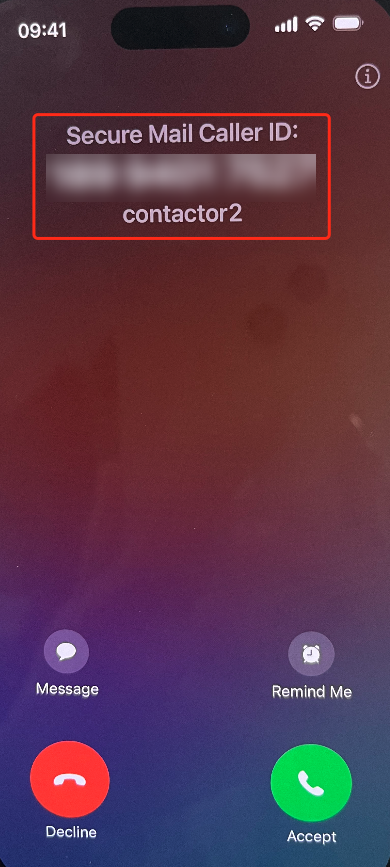
To identify international calls, iOS requires that you save the contact's phone number with the appropriate country code. For example, for +1 (210) 555-5555, +1 is the country code for North America, followed by the digits.
Note:
For the policy prerequisite that administrators must set, see the Citrix Product Documentation on Secure Mail Caller ID).
To enable Caller ID on an iPhone
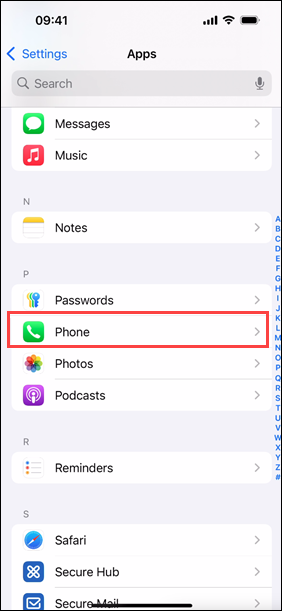
To enable Secure Mail Caller ID, navigate to Settings, and then tap Phone.
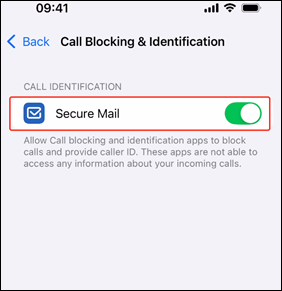
Tap Call Blocking & Identification.
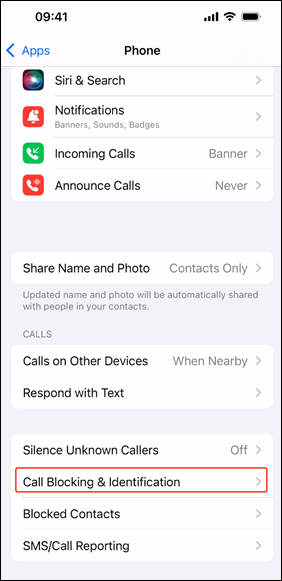
Turn on the Secure Mail toggle.
To enable Caller ID on an iPad
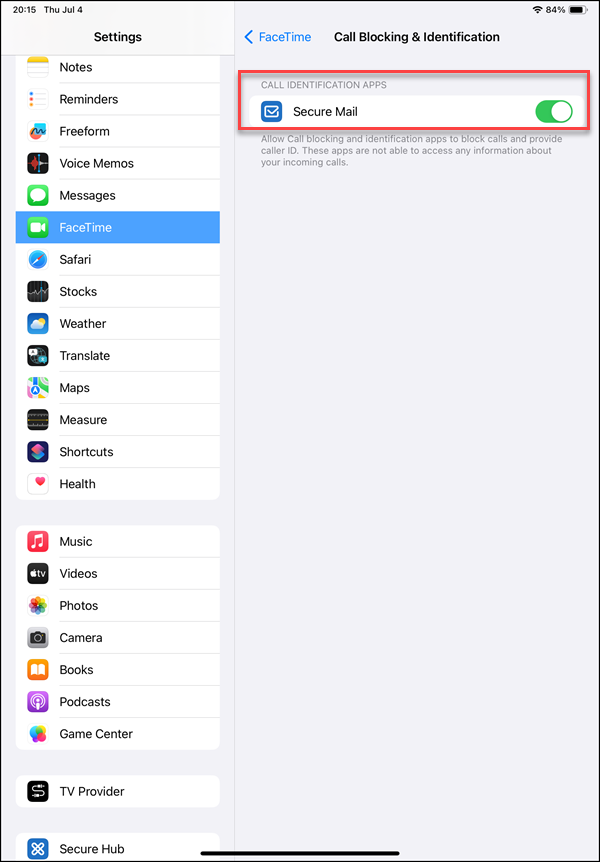
To enable Secure Mail Caller ID on an iPad, navigate to Settings, tap FaceTime, and then tap Call Blocking & Identification.
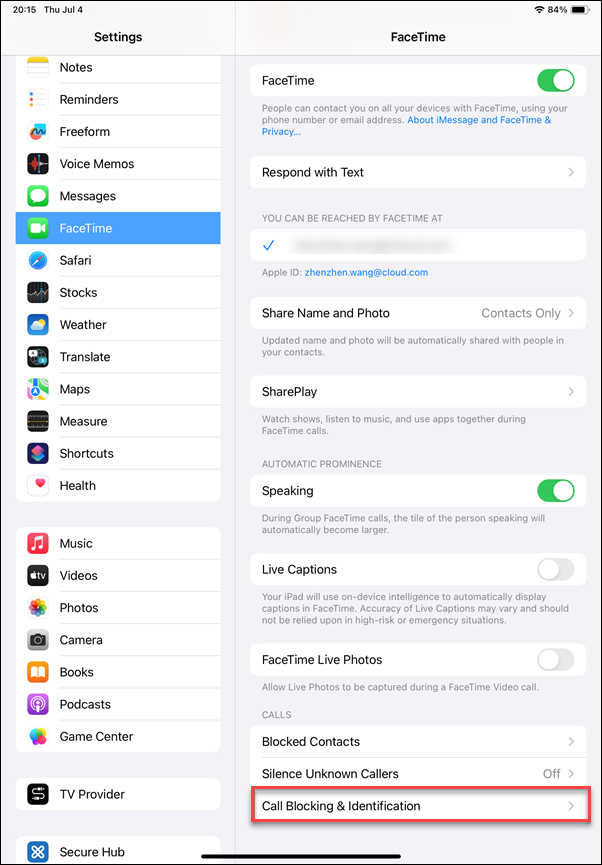
Under Call Blocking & Identification, turn on the Secure Mail toggle.