
Manage accounts
You can add, remove, and configure your accounts using the account settings.
You can access the Accounts settings in the following ways:
-
On the Citrix Workspace app home page, go to Account > Accounts and click Accounts.
-
From the quick access menu of Citrix Workspace app, click the Preferences icon
 and then click Accounts.
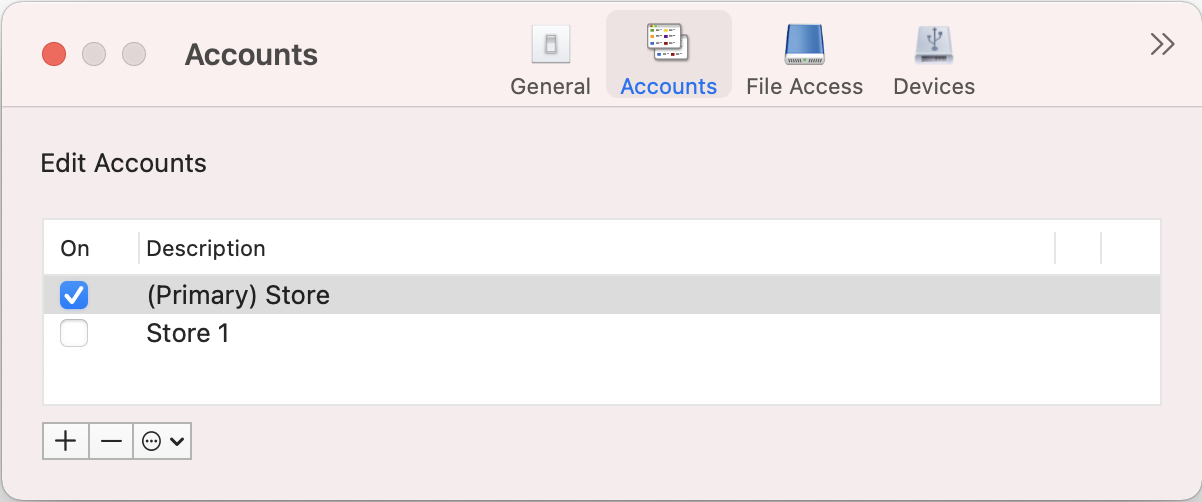
Add or remove accounts
To add an account, do the following:
-
On the Accounts tab, click +.
-
Enter your store url or email address that your organization provided.
-
Click Continue.
-
Enter your login credentials and complete authentication as required by your organization. Your account is added on successful authentication.
To remove an account, do the following:
-
On the Accounts tab, select the account to remove.
-
Click -. The account is removed.